Where's my cheese? - Overview
Genre: Cozy puzzle | Gameplay: Single-player, exploration, stealth and collection | Setting: Low-poly House
Role: Solo Dev | Duration: 10 weeks | Personal work
Skills: Unity | C# Scripting | System Design | UI/UX design | Level design
Created initially as a sixth form project in a 2 week time frame, this project was refurbished withing 2 months as a solo developer to show off what I've learnt while also re-learning Unity and C# scripting
Responsibilities:
- Level Design: Detailed creation of the game environment and map layout to enhance the player experience.
- Mechanics: Development and implementation of game mechanics, including tunnels and enemy behavior.
- User Interface (UI): Design and integration of in-game UI elements that fit into a same theme of cheese.
- Script Creation: Extensive use and re-learning of C# code for game logic and interaction
System work examples - Diagrams
Player movement/world interaction
- Player moves using WASD, W & S for back and forth, A & D to turn; this also turns camera attached to the player
- Same applies to mobile controls with touchscreen joystick
- If player collides with a wall, players will slide across, allowing smoother movement
- If a wall comes between player and camera, the wall texture will change to create a hole in the wall to avoid obstruction

Enemy behavior
- Enemy loops between designated points on map
- Enemy has a field of view (FOV) visualized with a red cone
- If player enters FOV, enemy will derail from set pathing to chase player
- If enemy collides with player, player is caught and loses 1 life
- If player is caught OR player stays outside enemy FOV for over 2 seconds, enemy will return to nearest pathing point


Tunnels
- Player will enter tunnel hole if close enough
- Players can exit tunnels by moving forwards
- Players are undetectable and un-cactchable inside tunnels
- If player pressed Space bar, player will travel to another tunnel entrance connected to each other
- Button appearing on screen can be tapped on mobile version

Cheese collection & Win/lose condition
- Exit is blocked at start
- Exit will unlock when player collects all 3 cheeses
- Player collects cheese my colliding with it
- When cheese collected, player obtains speed boost for 5 seconds

Timer
- Timer begins once the level loads
- If player loses 1 life, 10 seconds added to timer
- If player loses all 3 lives, level is reset along with timer
- When player exits level, timer for that level is stopped
- When all levels passed, times of all levels are added up to give final time

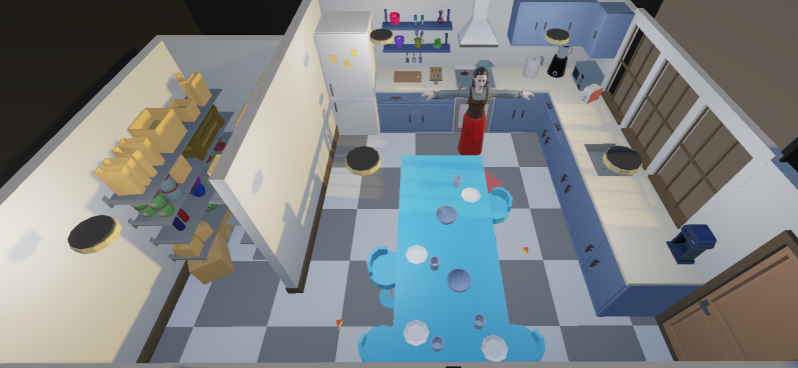
Level design - Mapping & In-engine view
Red: Enemy | Yellow: Cheese | Mouse: Player | Blue: Tunnel entrance | Green: Exit
Level 1: Kitchen

Level 2: Hallway


Level 3: Attic


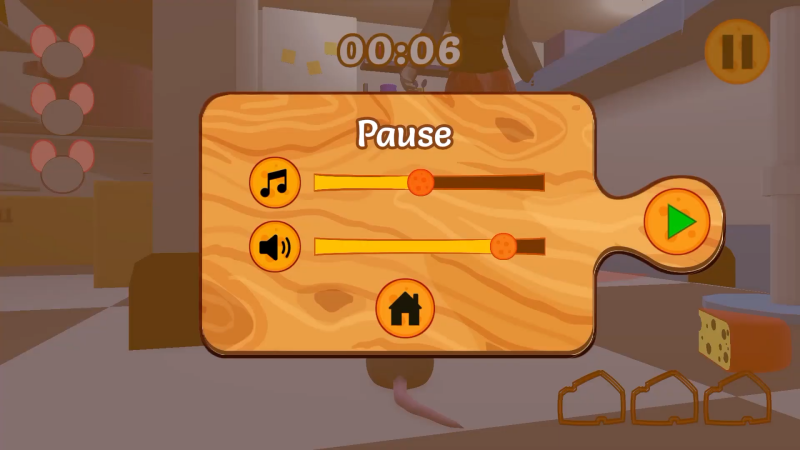
UI work examples - Initial and final designs
Player HUD


Pause/Options menu


Game start and end screens


World UI


Create Your Own Website With Webador